I was sufficiently pleased with the results of my previous experiments to create 2D images by having Microsoft Copilot write code for Processing. Accordingly, this week, I wanted to move on to slightly more advanced experiments, namely using Microsoft Copilot and Processing to create simple animations. One quick notes is that Processing does not typically output movie files, so instead I used QuickTime to make screen recordings in order to capture these animations.
I built the first experiment off of the spirograph visualization of the ten brightest stars in the Milky Way. I simply asked Copilot to add some randomness to the spirograph code to create an animation effect. Notice how the various spirographs each moves at its own rate, which I think is a nice feature.
I then had processing create code that would create a video analog of waves in the ocean.
Then, I had Copilot write code that would generate an animation of a constantly morphing plaid pattern.
Regardess of the specifics, these experiments indicate the potential for Processing to create animation that could be used to demonstrate basic scientific principles (such as the wave animation above), or to create animations that could be used in social media posts, or be used as part of a music video.
I am in a working group of faculty tasked with finding ways to incorporate generative AI, specifically Microsoft Copilot, into their workflow. Given my background as a music maker, my intent is explore creative applications of Microsoft Copilot in music, as well as the arts in general.
One use for generative AI is to use it to write computer code. In addition to standard programming languages, such as C++, JavaScript, and Python, Microsoft Copilot can generate code in numerous other languages, including languages that are orient to creating music and graphics. In terms of graphics creation one such programming language is Processing. Amongst other things, Processing will create 2D images and video, as well as interactive images and video using computer keyboard, mouse, and MIDI data as means of input. Clearly this language offers a lot of cool potential for image and video creation, but let’s start out fairly simply to begin with. Let’s start with using data visualization processes to generate graphic scores for music.
Graphic scores are an alternate means of music notation that are commonly aligned with improvisation or aleatoric (chance) music. While generally associated with modernism and post modernism, graphic scores have a long history. One of the earliest surviving examples is a 15th century composition called Belle, bonne, sage by Baude Cordier. The score for this piece is written such that the music looks like a heart.
Data visualization is a more established more conventional process. The core of the practice is to map data on to visual elements to aid in the analysis of a large data set. A successful visualization can help a researcher identify trends or identify anomalies. Some data visualizations can really be visually compelling. Are data visualizations art? I think many may disagree on that. However, can data visualizations be art? I think the answer to that is a definite yes. If we alter the goal of a visualization from being able to reveal patterns and anolamies to researches to the goal of creating a stunning or compelling image, such an image would count, as far as I am concerned, as visual art.
The visual nature of graphic scores often create a curious situation. Namely, many graphic scores are sufficiently compelling enough to count as visual art. However, in use, these visual works would only be seen by the performers, and not the audience, unless the instructions tell the performer to display the score in such a manner that the audience will see it. Accordingly do graphic scores have to be visually compelling? I would say that they do not. They simply have to convey the situation the composer wants to communicate to the performer in an effective way. However I think it does matter if a graphic score is visually compelling. Such a compelling image can potentially inspire a perform, and it may also encourage the performer to take the composition more seriously.
In terms of this experiment that’s where generative AI and Processing come into play. For this experiment, rather than asking generative AI to come up with an image for me to use, I ask it (in this case Microsoft Copilot) to generate Processing code that will generate a visualization of a set of data. As is the case with any use of generative AI, it is possible that that AI may hallucinate and create data that doesn’t exist. So, the results would have to be verified if we were going to use it for research, but we aren’t. In this case we are using it to create a compelling image for use as a graphic score.
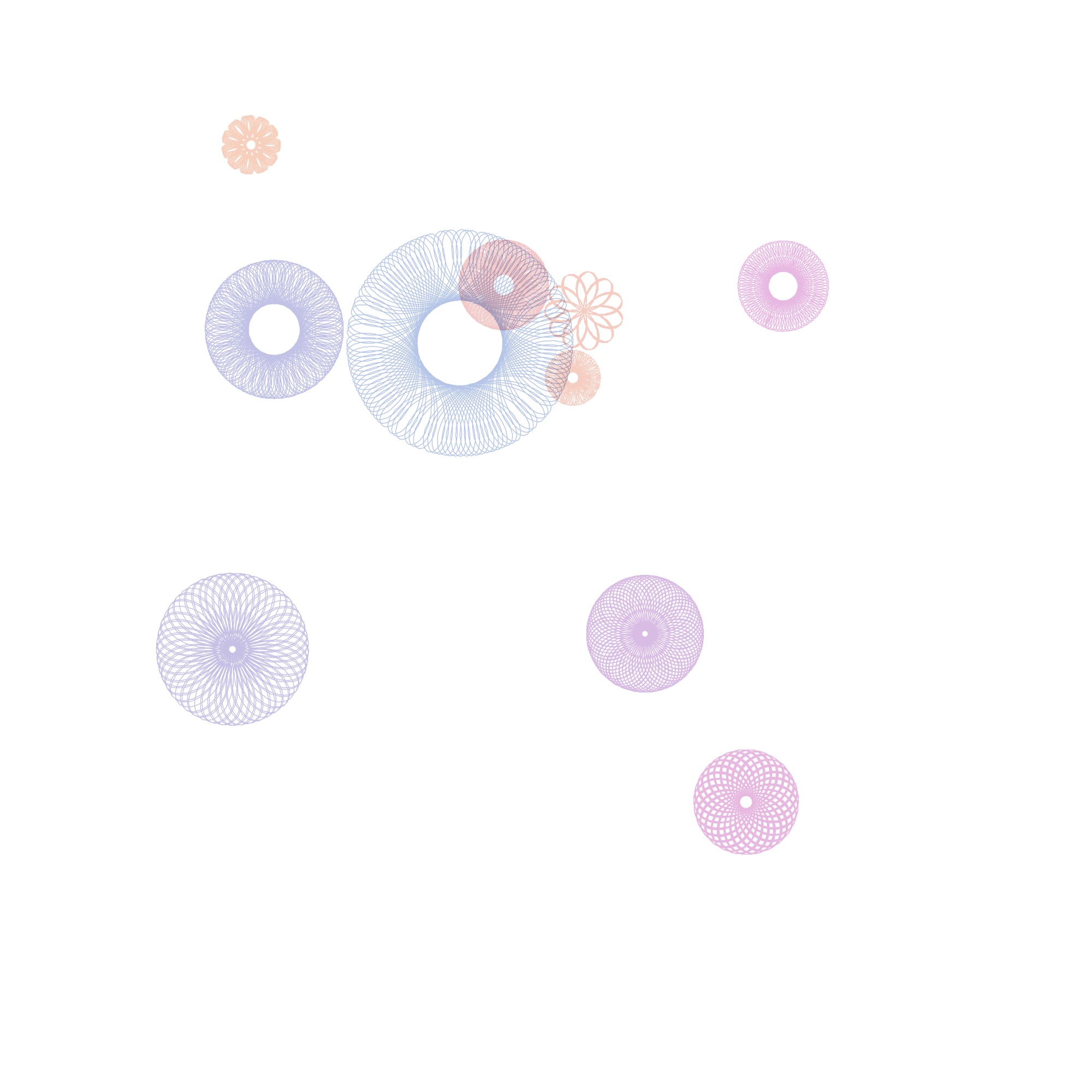
I started by asking Microsoft Copilot to generate Processing code that would display spiral graphs. I then asked it to add color, to have the center points spiral out from the center, and to allow the use to save images. From this starting point, I asked it to generate code that would visualize astronomy data. Specifically I asked it to use the ten brightest stars in the Milky Way to map declination onto the x axis, ascension onto the y axis, and brightness onto Spiral size. At this point I also asked it to include a degree of randomness not related to these three parameters so it would generate different outputs each time.
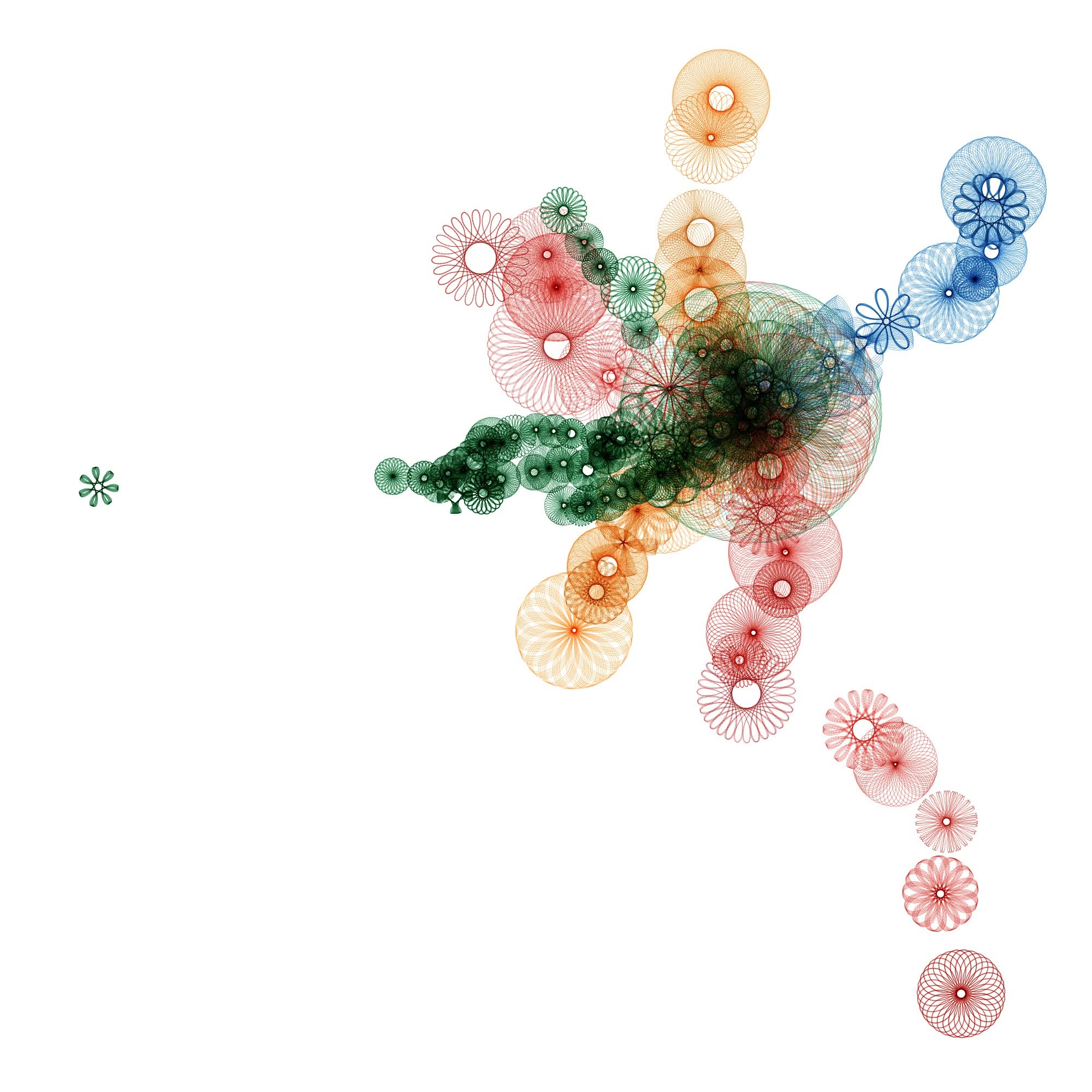
Occasionally the code it generated would not work, so I would tell Microsoft Copilot what error was returned, and it would regenerate the code such that the error was fixed. Regardless, I found the ten brightest stars experiment to be a good proof of concept. Being a fan of transportation, especially commercial aviation, trains, and subways, I decided to move onto a series of experiments involving Boston’s MBTA. Initially I asked Copilot to generate processing code that displayed 50 spiral graphs, each of which relates to the 50 most used subway stops for the MBTA, mapping usage of the station onto size, and using the color of the spiral graph to denote which subway line it relates to.
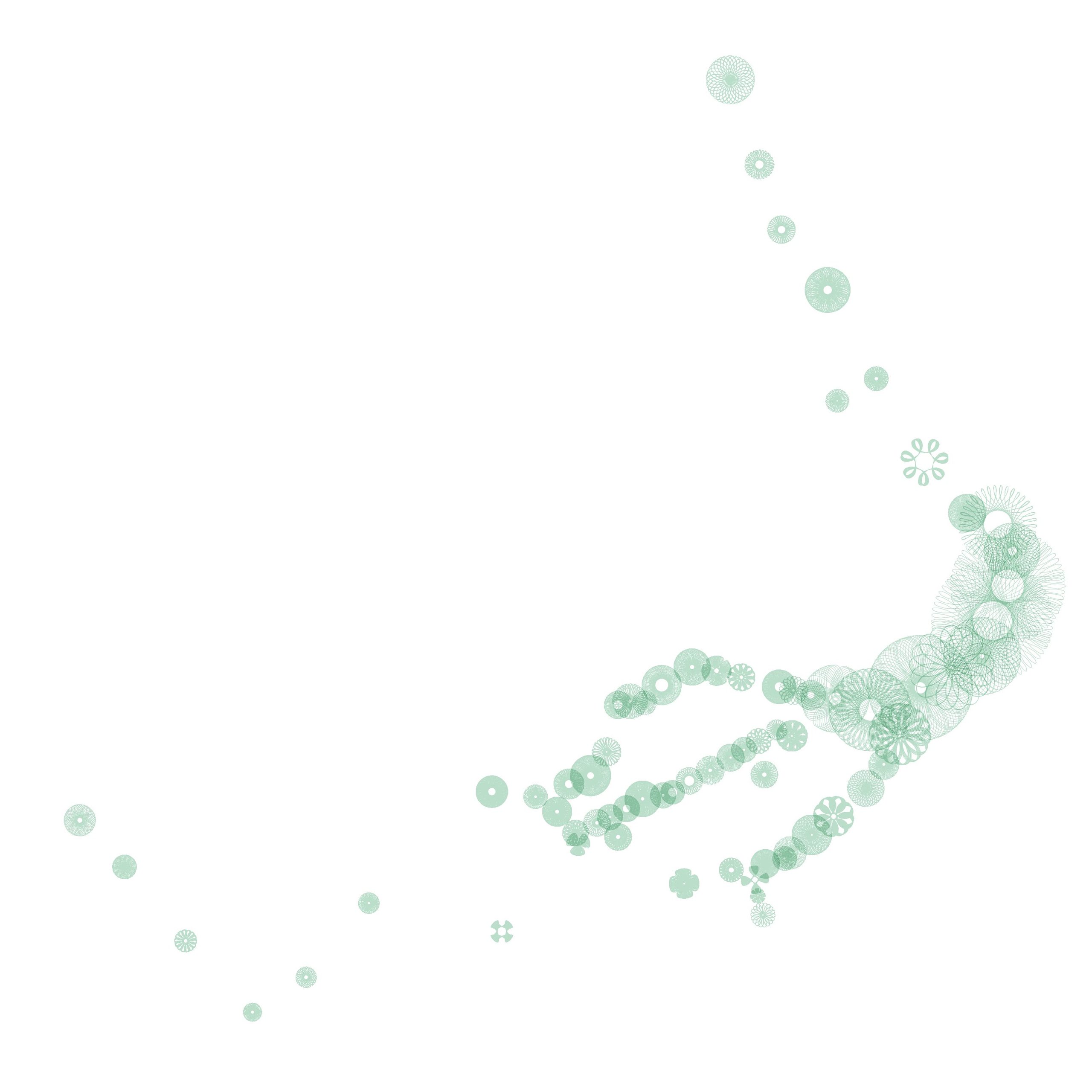
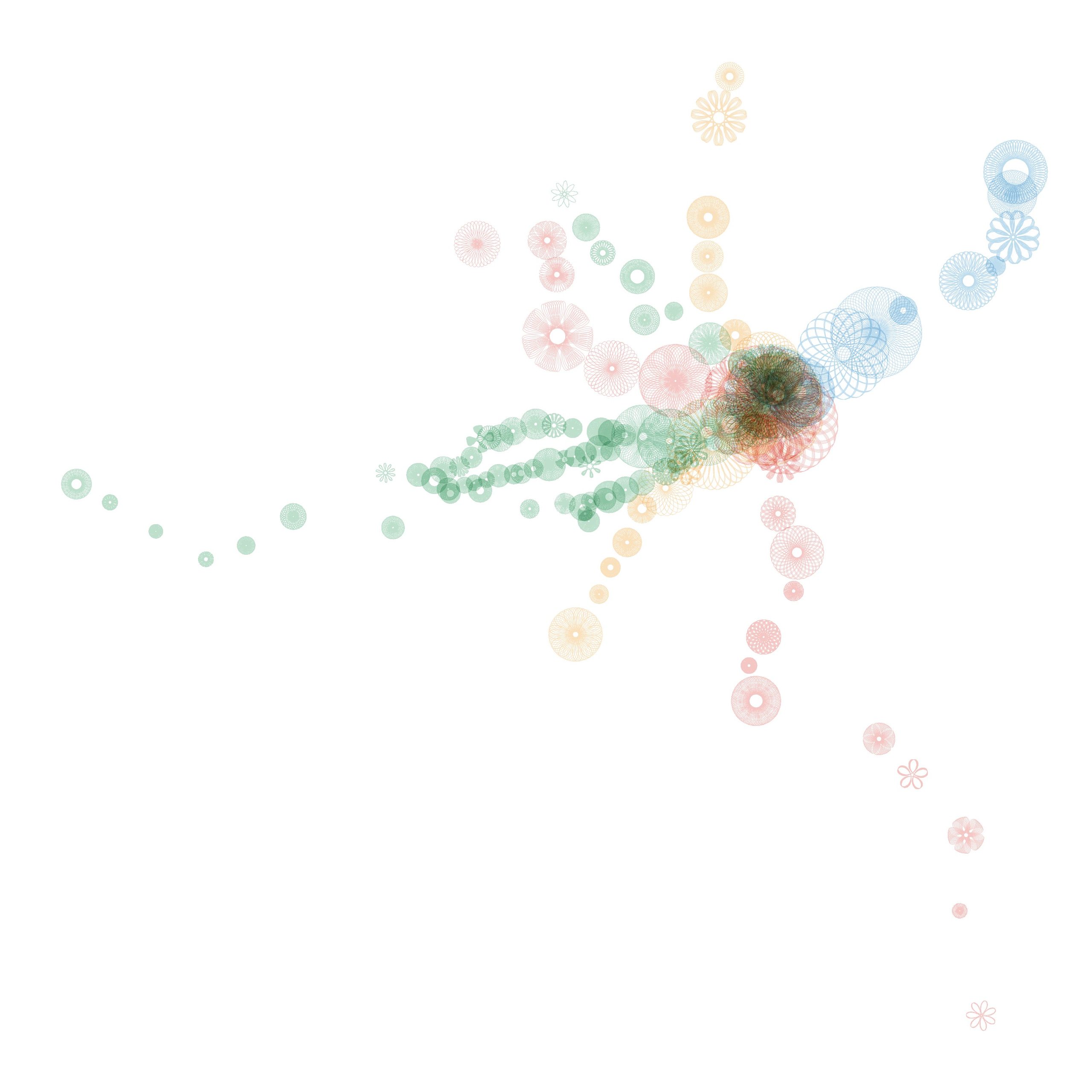
I found this image to be sufficiently compelling to imagine a graphic score for four or more players, where each player was assigned a route: the green, red, blue, or orange lines. The east / west axis could be mapped onto time, while the north / south axis could be mapped onto pitch. The size of each spiral could be used by the performer to choose the number of notes a given event would consist of, and / or to determine the volume of the event. After several experiments I decided it was necessary to include every single subway station, in order to avoid too much silence, and to give each performer ample opportunity to be involved. Note that the green line offers (by far) the most events with 70 stations.
The red line follows with 22 stations.
The orange offers 20 stations.
The blue station comes up last with only 12 events.
Note that each subway line offers its own distinct contour. The composite score of these stations offers a sparse solo by the green line for the first half of the piece, a busy ensemble for the middle of the work, and a directional, but increasing sparse duo between the red and blue lines at the end.
The ethics of this are certainly disputable. Could I have done this? That is learn yet another computer programming language and write a program that would translate a data set into an image? Yes, undoubtedly I could have. It is in my still set, but I imagine this has saved me tens of hours of work. As time goes on I could learn Processing code well enough to hack the code myself and eventually write my own code. Also, there’s the small matter of learning the mathematics behind spiral graphs. This is also I could have learned on my own, but again, this saved me tens of hours of work.
How does this make me feel as a creator? I’m personally alright with it, as I could have created this piece on my own by doing 15 minutes to an hour of research online to get the data, and then create a score by plotting it by hand using graph paper and colored pencils. This would have likely taken me an hour or two to accomplish, but it would have looked crude and unpolished. Also, I would not have been able to do the spiral graphs. I would have just made dots of various sizes. So, I would easily have been able to create this piece without AI, but it would have looked sloppier, less professional, and cruder. Since I am primarily a musician / composer, and not a visual artist, I don’t feel that the essential part for me (the music) would be substantially different one way or the other.
Another useful comparison I would make in this scenario would be the idea of hiring a professional music copyist to clean up my notation for a performance or publication. When you hire a professional copyist, that individual is not making any creative decisions, they are simply making the composer, arranger, or orchestrator’s creative decisions more legible. However, I would argue that in the sake of honesty it would be worth declaring the use of AI in the score itself for this particular experiment.
What is the H.E.A.P.? The H.E.A.P. stands for the Heuristic Electronic Algorithmic Philharmonic. It is a system of computer programs (written in PureData), synthesizers, samplers, video synthesizers, and drum machines that provide the groove that Darth Presley lays down his stylings upon. The setup also includes a looper pedal, allowing Presley to layer several guitar grooves.
What is up with the video? The video is generated by the Sleepy Circuits Hypno (thanks to the Digital Innovation Lab at Stonehill College for their support through a Digital Innovation Grant). The Hypno is a video synthesizer which is being controlled by the same algorithms used to generate the accompaniment, hence the video changes in time to the music. The Hypno, in this instance, is being used to process source video, which comes from the 1925 silent film The Lost World.
What is Monstrum Pacificum Bellicosum? That is the forthcoming album by Darth Presley and Slash Gordon. Currently twelve tracks from the album have been released on Bandcamp (darthpresley.bandcamp.com). New tracks are released once every couple of weeks, so stay tuned! The complete version of the album will be released in December 2026 (or thereabouts) on all major streaming services. Monstrum Pacificum Bellicosum is not a collection of songs in the conventional sense. It is a collection of grooves that can be improvised on.
Each tune on the setlist is precisely three minutes and twenty seconds long. That combined with the tempi may aid you in keeping up with the setlist, should you care to follow along.
While I grew up in Wisconsin, my father’s parents retired to Florida. Accordingly, nearly every year of my childhood, my family would drive in August from Wisconsin to Florida in order to spend a week with my grandparents. This annual trip was something I looked forward to all year long, and these trips were a formative experience for me.
My parents argued and fought verbally frequently. However, during our annual trips we were all the best versions of ourselves, and generally speaking they were the most harmonious experiences we had as a family. My family loved to travel. Ironically, when I arrived at the airport to fly home when my father was dying, I instinctually got excited as I usually do, anytime I set foot in an airport. Given my father’s love of traveling, I think he would have understood.
These annual car trips were formative in other ways as well. I grew up in an era before the ubiquity of screens. A one, two, or three-day car trip from Wisconsin to Florida requires somewhat of an internal game. It requires a person to be able to occupy themselves: to converse, read, listen to music, observe, or think. Learning this practice from a young age has served me well. I find that I rarely feel bored.
Another way in which these trips were formative relates to how I began to think of the nature of time. Our perception of time is fluid. There are times when time seems to move quickly, and other times it seems to move slowly. There is also the seemly contradictory experience in which hours may seem to fly by while the days into weeks seem to drag (or vice versa).
Driving through the flat landscapes such as Indiana presents a situation, in which the horizon seems still and unchanging. Meanwhile, the middle ground changes, but at a snail’s pace. However, telephone poles whip by a a good clip, and if you look directly down at the pavement outside the car, the motion is dizzying. That is the nature of time. At any given moment time can change to any of these perspectives, based upon our emotions and environment, potentially creating an illusion of time being both rapid and slow.
During my teen years, my relationship to drives to Florida strengthened. When I was fifteen years old, my Grandmother had a stroke, and was moved to a nursing home, dying a year later. As a result, my Grandfather was living alone. At this time, if my father had a few days off from his job as a high school teacher, he and I would drive straight down to Florida without a break, stay with Grandpa as long as we could, and drive straight back. It was often just the two of us in the car, and we bonded very closely on these trips. Once I had my driver’s license, he and I would alternate driving, switching ever three to four hours. To this day, I feel closest to my Dad when I am driving long distances.
Who is Darth Presley? No one really knows. The only clue we have is short dispatch written on the back of a manual for an ACMI M3-70A GOLD Endoscope . . .
I have had some horribly disturbing waking dreams of being a monstrous apparition, part-man, but mostly machine; soulless and demonic, terrorizing man and beast alike with sounds unlike any other, sounds that alternately inspire and chill, lifting spirits only to dash them again on some distant rocky shore comprised of dissonance and psychotic visions. I am haunted by sizable blackouts, what some refer to as lost time, and frequently awaken in unknown locations, smelling of Malört and regret with nothing to explain my activities save for a plectrum and a few patch chords.
What is the H.E.A.P.? That is far easier to answer. H.E.A.P. stands for the Heuristic Electronic Algorthimic Philharmonic. It is a system of computer programs (written in PureData), synthesizers, samplers, video synthesizers, and drum machines that provide the groove that Darth Presley and his musical miscreants lay down their funkilicious stylings upon. H.E.A.P. is also used to describe the band as a whole.
What is up with the video? The video is generated by the Sleepy CircuitsHypno (shout out to the Digital Innovation Lab at Stonehill College for their support through a Digital Innovation Grant). The Hypno is a video synthesizer which is being controlled by the same algorithms used to generate the accompaniment, hence the video changes in time to the music. The Hypno is, in this instance, being used to process source video, which comes from the 1925 silent film The Lost World.
What is Monstrum Pacificum Bellicosum? That my friends (I hope I’m not taking any liberties here), is the forthcoming album by Darth Presley and Slash Gordon. Currently four tracks from the album have been released on Bandcamp. New tracks are released once every couple of weeks, so stay tuned! The complete version of the album will be released in December 2026 (or thereabouts). Monstrum Pacificum Bellicosum is not a collection of songs in the conventional sense. It is a collection of grooves that can be improvised on.
This afternoon Darth Presley and the H.E.A.P. will be performing tracks from Monstrum Pacificum Bellicosum. Each tune on the setlist is precisely three minutes and twenty seconds long. That combined with the tempi may aid you in keeping up with the setlist, should you care to follow along.
As a music technology educator I feel that it is incumbent upon me to have a decent amount of knowledge about the current state of Music AI, as well as have at least a beginning level of expertise in the use of the technology. That being said, I’ve been waiting for an opportunity where it made pedagogical sense to get started with Music AI. I recently revised my songwriting course so that it is open to open to students who don’t read music.
For each project I give students a template in LogicPro. This template features three session player tracks (keyboard, bass, and drums). Students can then edit the tempo, the instrumentation, the chord track, as well as the details of each of the three session player tracks. This allows students to customize the template to conform to the mood of the song they wish to write.
Ultimately, students will overdub vocals of them singing their song. Since I expect that several of the students will be uncomfortable with sharing their vocal tracks with the rest of the students I wanted to give them the option of using vocal replacement technology for their final draft. Currently Suno AI is widely considered to be the best Music AI available.
Accordingly, I recorded the vocals for my first sample song project for the course, and submitted the track, including the three aforementioned session player tracks to my Suno AI account. In order to do vocal replacement and style changes in Suno, you have to have a Pro account, which is ironically their middle tier account, which is currently priced at $10 a month. If you attempt to upgrade an account from a free account, it will offer you a deal of $8 a month, but require you to pre-pay for an entire year. If you are like me, and intend on using Suno for a brief time, for instance a few months, you can select monthly, and price will rise to $10 a month, and you’ll be able to add your payment options.
Figure 1: Upgrading
Go to account, but make sure to select Monthly, instead of Yearly.
Long story short, here’s my original track. I wrote the lyrics, the melody, and the chord progression. The backing track is a super basic backing track created in Logic Pro using three session player tracks (keyboards, bass, and drum machine). I recorded the vocals, and processed them using a noise gate, compression, EQ, pitch correction, vocal transformer, and reverb.
Notice that my original song is pretty odd. It uses the meters 4/4, 5/4, and 6/4. Likewise, the introduction uses an odd progression of a Csus chord followed by an F augmented chord.
I brought this track into Suno AI, and used a Pro account to use the Cover function to replace the vocals, and change the style. I used the advanced feature to have the generated versions follow the original with a 90% accuracy setting. Every time you do this it actually generates two versions. In some cases, the AI generated a version where the lyrics were moved around, so I threw those out. Thus, some of the styles represented below only have one example.
You’ll also hear that several of the styles are not accurate. That being said, what was generated is still fairly appealing (at least from a commercial perspective), and (at least as an artifact) interesting. The melody and chords for the verse and chorus also is usually very similar to the original. In most cases rhythm (meters) seems to be fairly similar in each of the version to the original. Often the generated cover does not use the odd chord progression used in the introduction of the original version, but replaces it with the verse melody and chord progression.
So my previous two experiments got me excited to start working on the music videos for my forthcoming album Monstrum Pacificum Bellicosum. I will likely start releasing music from this album in April 2026 on Bandcamp, and hope to release the entire completed album on platforms such as Spotify, Apple Music, and Amazon Music in late December 2026. Once the album is released, I will also be releasing music videos for the individual tracks from the album.
That being said, I have already started working on creating rough drafts of the music videos for some of the tracks from the album. In January, the Carole-Calo Gallery will be hosting a a show of Stonehill faculty work. I hope to have first drafts of some (possibly all) of tracks from the album ready to go for inclusion in the faculty show in January. Likewise, Bleep Blorp 2026 will be on April 18th at Stonehill College. I hope to including some (possibly all) of the music videos for the album in a gallery show for Bleep Blorp 2026 as well.
While I have had significant problems with controlling the Hypno through MIDI, I decided to control the video this way. I settled on this approach for two reasons. First, when paired with Pure Data, this approach offers precise timing, allowing the video to be well synchronized with the audio. Secondly, using MIDI allows me to control as many parameters at once as I want.
In comparison to my previous experiment, I wanted to art direct my work on this a bit more. The first decision I made was to keep the video processing far simpler for faster tracks on the album, and gradually move towards more intensive processing for slower tracks. This simplicity versus complexity is achieved in three ways. Fewer parameters are controlled in the simpler, faster tracks. I also restrict the range of outcome for parameters in the faster, simpler tracks. Finally, as the tracks become slower, and feature more complex processing, I also add in more possibilities for source video.
Monstrum Pacificum Bellicosum consists of 18 tracks, at nine different tempos. To put this another way, each tempo is used on two different tracks. Accordingly, each level of processing complexity is used for two tracks from the album.
The source video for Monstrum Pacificum Bellecosum all come from the 1925 silent film version of Sir Arthur Conan Doyle’s The Lost World. This film was the Jurassic Park of its day, featuring plenty of high quality stop motion animation of dinosaurs. I edited down to the stop motion animation of the film, and put this segments into 40 second phrases. resulting in 25 video phrases, although a couple of these phrases include non-stop motion shots to round out the 40 second phrases.
I selected the nine most active of these 25 video phrases to be the source material for the fastest tracks, both of which are at the tempo of 132 beats per minute. For each successive increase in complexity, each of which comes with a decrease in tempo, I will add two more of the original 25 video phrases. In addition, for each increase in complexity, I will also add seven more 40 second phrases comprised of footage derived from the previous tier of complexity.
Another aspect that is used to create a sense of increasing complexity is the number of parameters manipulated. A video phrase is selected randomly at the beginning of each phrase for all videos. Likewise, the feedback mode is changed at the beginning of each phrase. For the fastest tracks, those at 132 bpm, the PureData algorithm only changes four additional parameters. These parameters include the master hue (color shift), the master gain, as well as the frequency for both oscillators A and B. Remember from a previous entry that frequency would be best understood as zooming in and out. At the beginning of every phrase, the algorithm changes which parameters will be changed in the phrase, with every parameter having a fifty percent chance of being selected.
Figure 1: The first 3 levels of complexity
Complexity
Tempo
P1
P2
P3
P4
Range
T#
T#
1
132
Color
Gain
Freq A
Freq B
4
8
16
2
120
C. Offset A
C. Offset B
Sat. A
Sat. B
8
5
15
3
112
Rotate A
Rotate B
Polar A
Polar B
16
6
18
I also control the complexity of the manipulation by controlling the range of variation for the parameters. Initially I focus on changing parameters by using what is essentially a low frequency oscillator set to a triangle wave. For the fastest tracks, I have the period of this triangle wave set to repeat every quarter note. Because the algorithm is sending out new values every sixteenth note, that means that the parameters stay within a range of four values. Because MIDI is a seven bit protocol, that is the values range between 0 and 127, I center this range on 64 (the center value), save for the instance of the parameter of gain. When you put the gain control in the center, you are actually at a gain level of 0, as the lower half of the settings are negative gain levels, while the upper half are positive gain levels. So for the gain, I center this range on 96, which is halfway up on the positive gain levels.
To date, I have created first drafts for six videos, or three levels of complexity. The second level of complexity is for the two tracks at (or around) 120 bpm. To these tracks I also start manipulating the color offset and saturation levels for each of the two video oscillators. The period for the LFO triangle wave controlling these parameters is set to a half note, thus yielding a range of eight values for these parameters.
For the third level of complexity, the videos at or around 112 bpm, I added the parameters of rotation and polarization for each of the two video oscillators. Initially I had intended to have all twelve parameters to be controlled by a LFO triangle wave, but I found that the Hypno just couldn’t handle that much data, and started to make uncontrolled parameter changes. Accordingly, I only use the LFO triangle wave to control the four new parameters (rotation and polarization). The period for these triangle waves is a whole note, yielding a range of values of 16.
The remaining parameters, that is the parameters introduced in the previous two levels of complexity (color, gain, frequency, color offset, saturation), are randomly changed every beat. Again, these changes only occur when that parameter is set to change during a given phrase. To match the complexity of the other four parameters, the range for these random changes is 16.
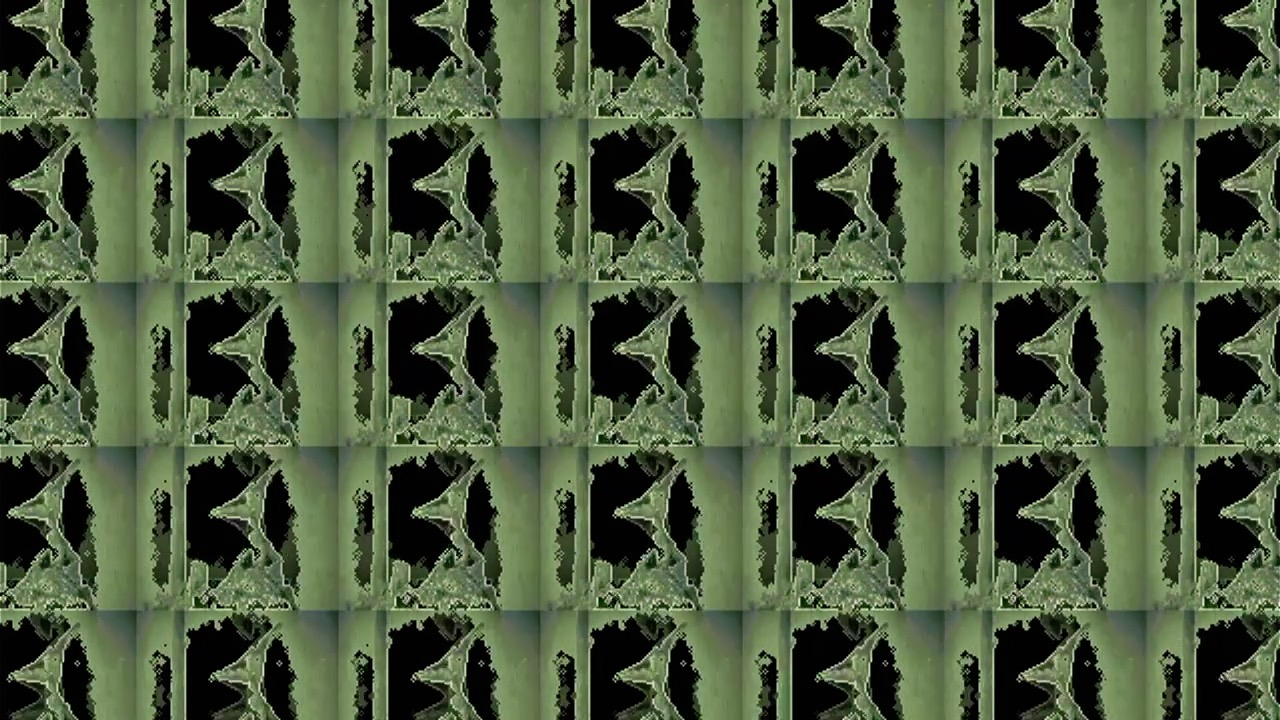
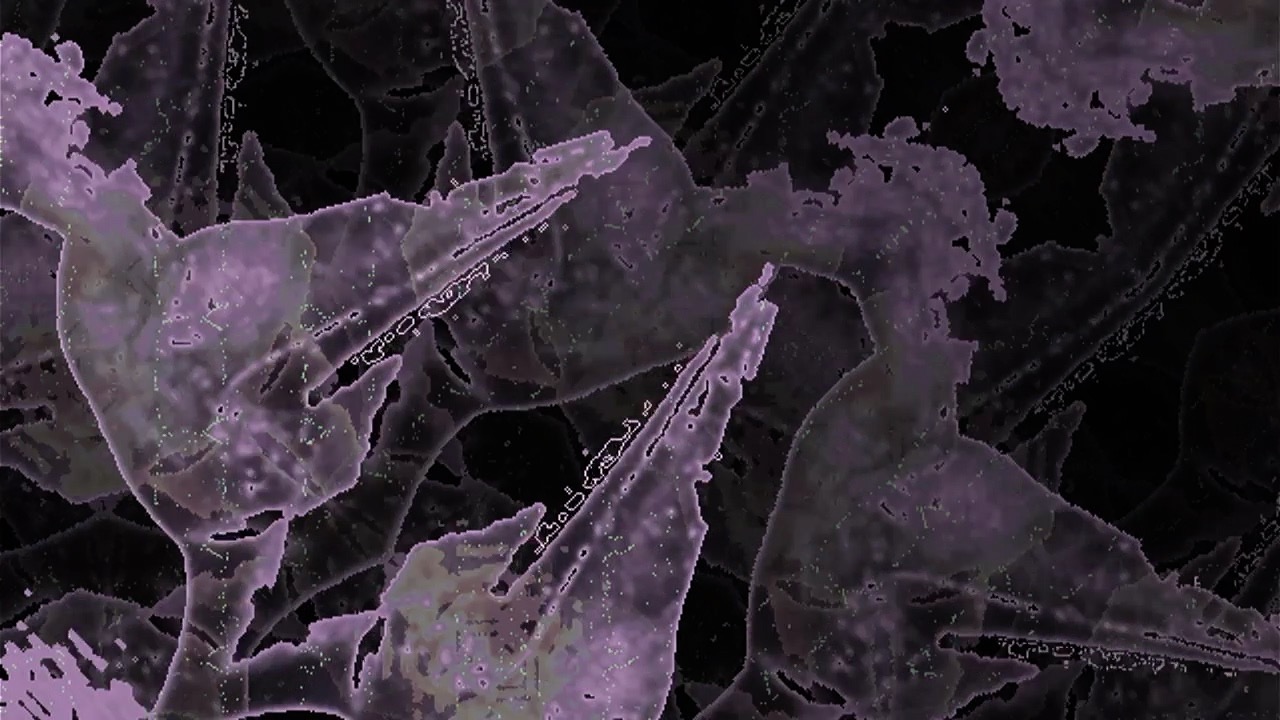
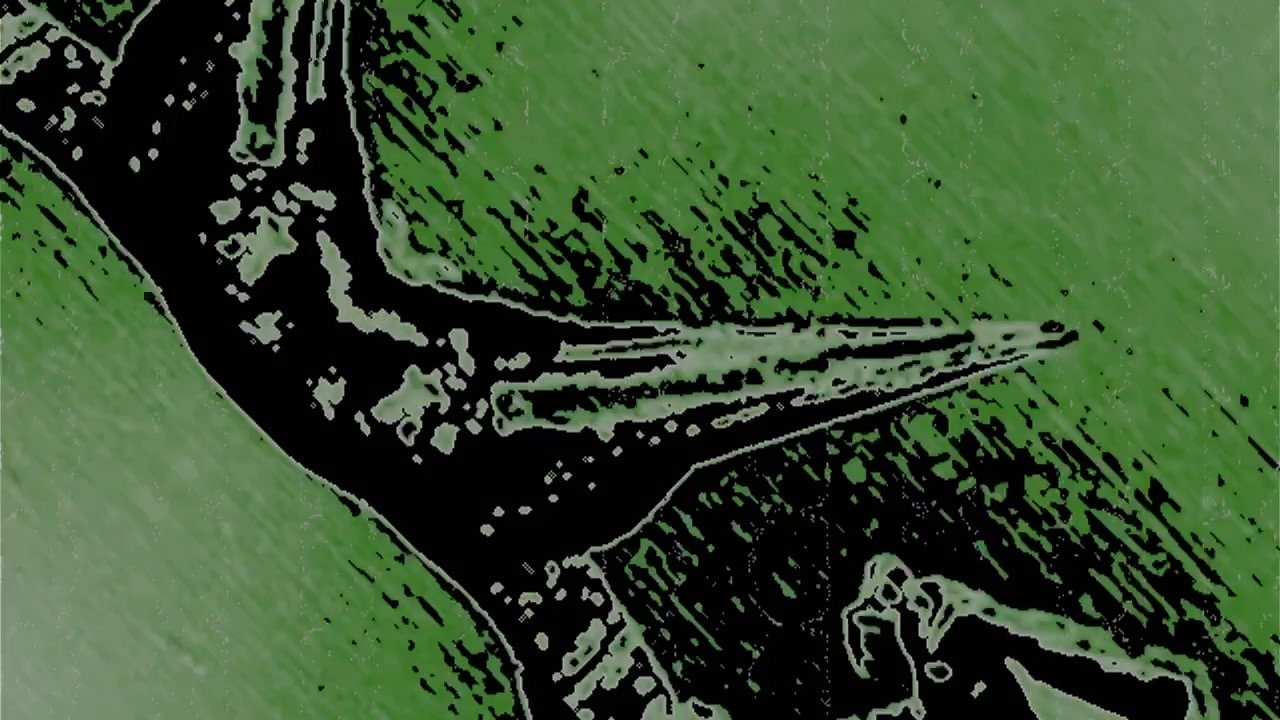
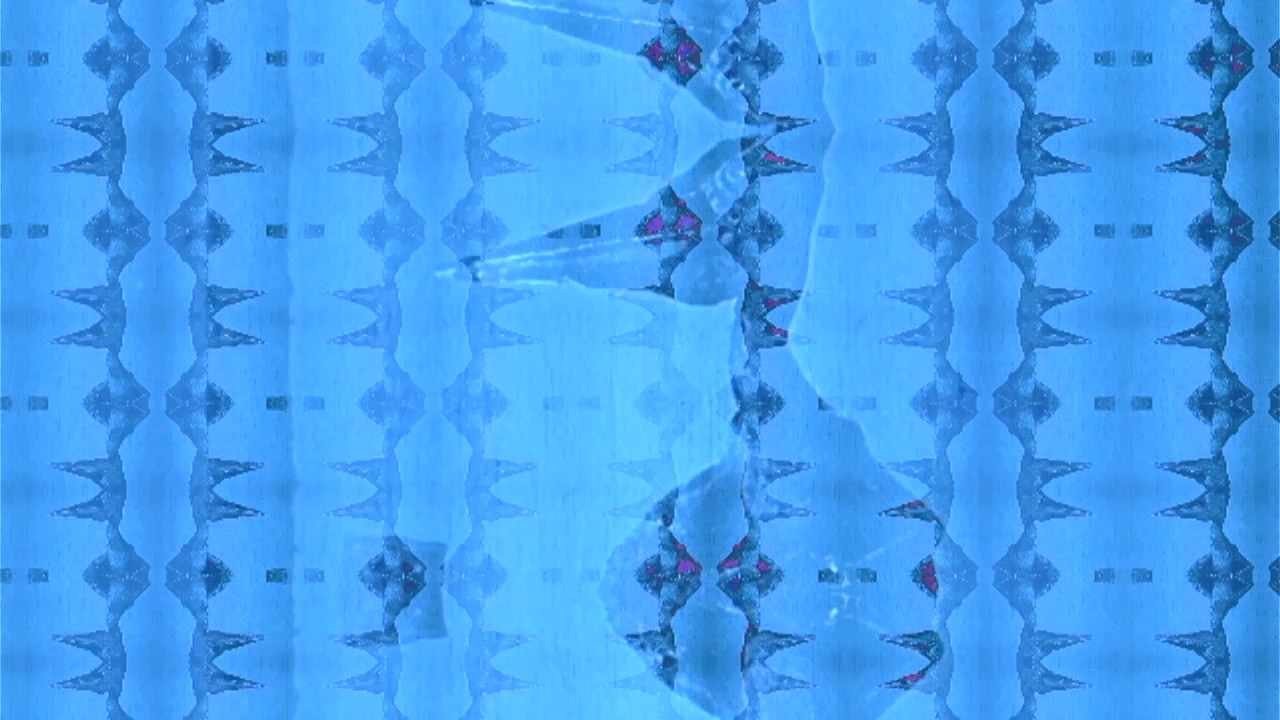
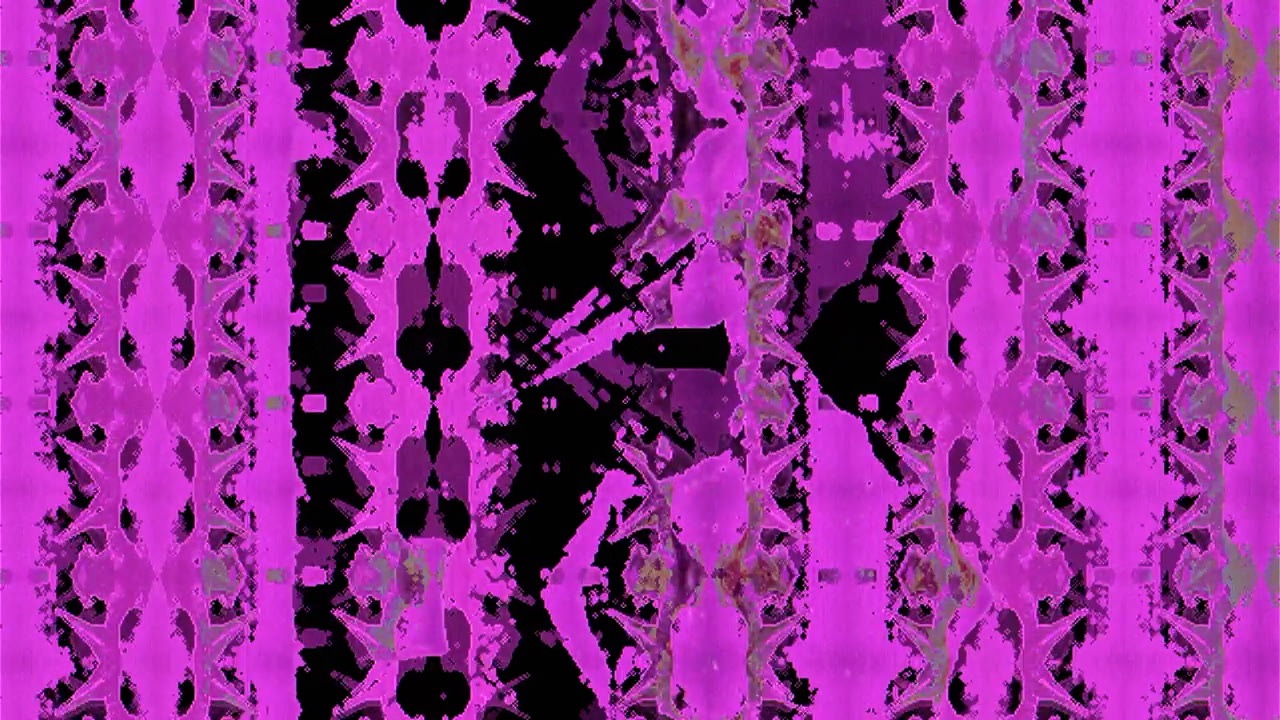
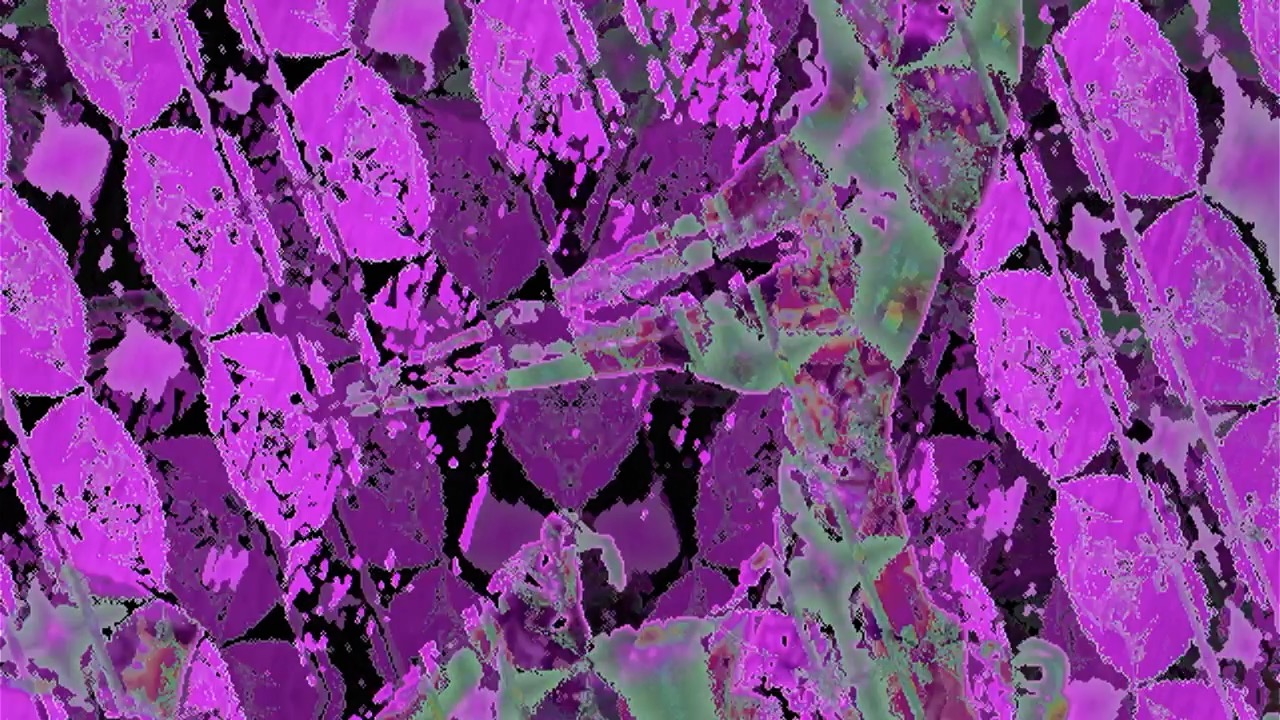
Figure one is a basic summary of the first three levels of complexity for the videos for Monstrum Pacificum Bellicosum. The final two fields in the table are the track numbers that correspond to that complexity level. While I have completed drafts of these four tracks (5, 6, 8, 15, 16, and 18), I will not be sharing them early, as I want them to be a surprise for both the gallery show, as well as when I ultimately post them online when the album is complete. That being said, I do want to leave readers with some visual fun, so I’ve included some screen shots from the first draft of some of these six videos. In the interest in highlighting how these parameters can create variety, I have selected screen shots that are all manipulations of the same image of a pterodactyl.
I plan on doing more updates as I complete more videos. In this report I have made the decision to not include any PureData code, as all the code I’m using to create these videos is essentially derived from code I have already presented.
Screen shot from video draft for Windghost (monster 5)
Screen shot from video draft for Windghost (monster 5)
Screen shot from video draft for Windghost (monster 5)
Screen shot from video draft for Megalodon (monster 15)
Screen shot from video draft for Moonbeast (monster 16)
Screen shot from video draft for Rukarazyll (monster 18)
It was a fairly short jump from my previous experiment to this one. For the music video for 21AC3627AB4, I focused on using constant, smooth changes of selected parameters to manipulate video footage using the Sleepy Circuits Hypno. For this experiment, I wanted to focus on abrupt parameter changes in order to create a sense of visual rhythm. In order to achieve this, there were very few changes I had to make to the Pure Data algorithm I used to control the Hypno.
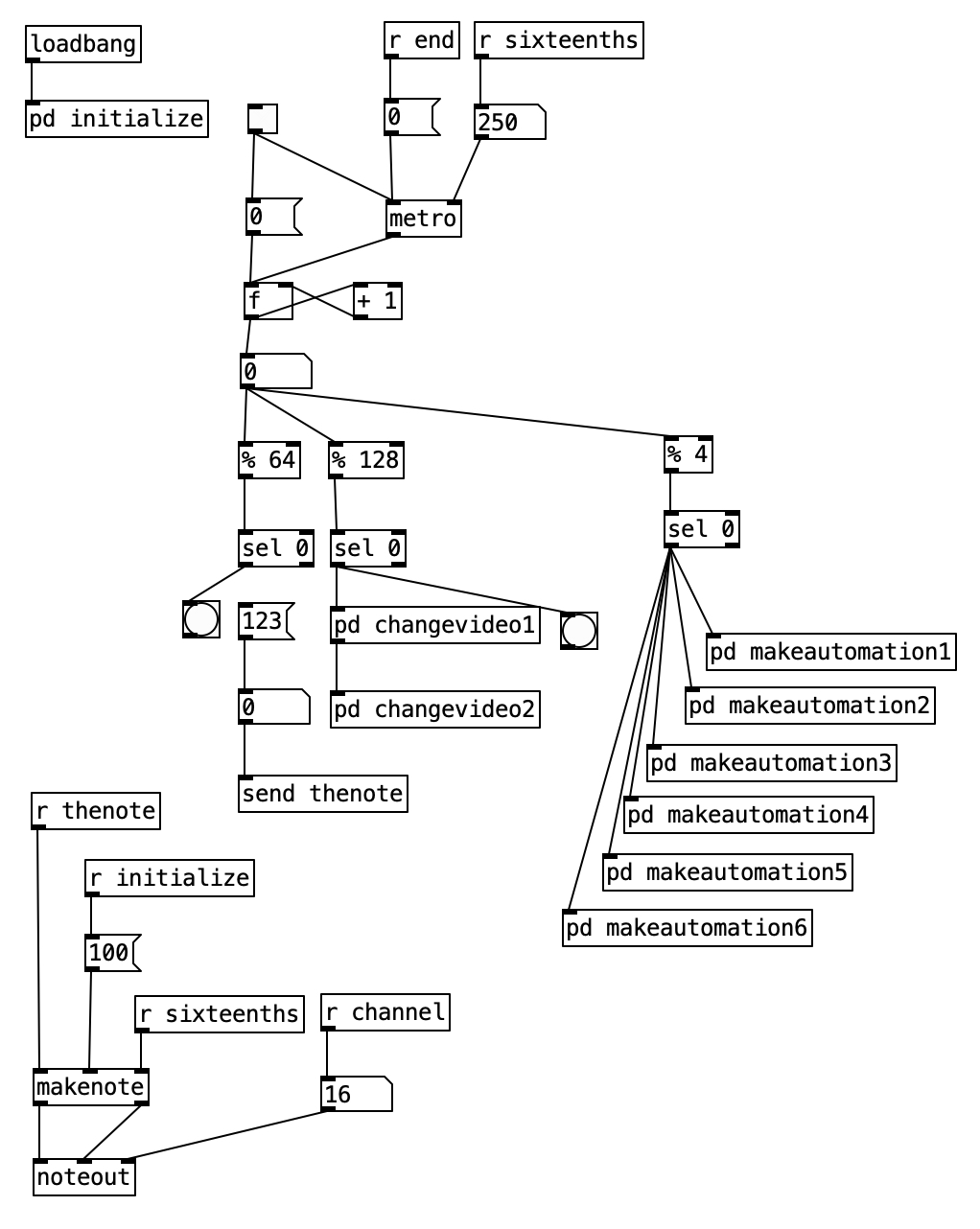
The overall algorithm for creating the video for 5B4C31 is nearly identical to the algorithm for creating the video for 21AC3627AB4. The right hand branch off of the counter contains a mod (%) four object followed by a sel0 object. This causes the subroutines below to execute once every four sixteenth notes, or to put it another way, once every beat.
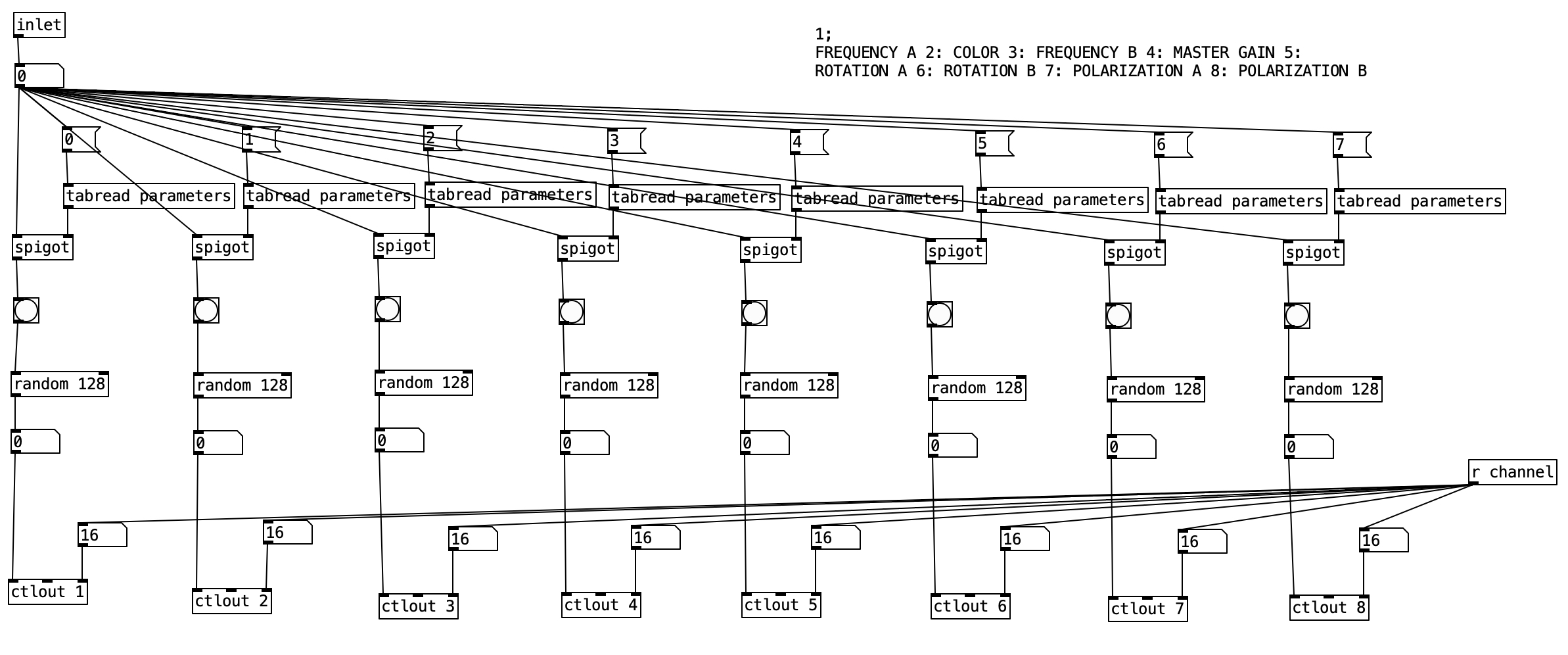
As was the case with the previous experiment, each of the makeautomation subroutines is largely the same, so we’ll look at the first one. This version of makeautomationis far simpler than the one used in the previous experiment. This subroutine is designed to send controller values for the first eight parameters used in the experiment. Each column is largely identical to the rest of the columns. The spigot statement controls whether or not a bang is sent to the random 128 objects below. When the value stored in parameters is zero the bang does not occur, when it is one the bang happens. The random 128 object outputs a value between 0 and 127 inclusive. This takes advantage of the full spectrum available within MIDI specifications. This value is then sent to the Hypno using a ctlout object.
Screenshot
The video input used for this experiment was the video for the next two tracks on Point Nemo, namely 21AC3627AB4 and 87ED21857E5. The video for 21AC3627AB4 is more chaotic in nature than that of 5B4C31. With the abrupt changes, I had though that the latter video would be more chaotic. However, it is likely the tempo change (the former is at 180 beats per minute, while the latter is at 60 beats per minute), that is one of the main contributors to the somewhat calmer flow of 5B4C31.
The sudden changes and the slower tempo require far less MIDI data to be sent to the Hypno, which resulted in far fewer glitches in terms of settings changes that were not specified by the algorithm. This was definitely a big problem with the previous experiment. In fact, there was only one time where one of the oscillator changed shapes, which I manually put back on the video input shape.
I purposefully created the videos for Point Nemo in reverse order, as I wanted the videos to become more simple as the album progresses, having the source video, late afternoon sunlight glistening on waves, gradually reveal itself over a one hour experience. Given that I know what the source video is, I can occasionally see glimpses of it in the first two movements. That being said, there is a considerable step down in complexity between the second and third movement.
Another thing I discovered in this experiment was that many of the visual beats came out quite dark. This can be due to any number of factors, including bad settings for color, for gain, for frequency (zoom) and the like. In order to deal with this, I recorded twice as much video as I needed to, and then simply edited out the dark sections. This required a couple of hours of work, which while somewhat defeats the goal of creating a music video in real time, a couple of hours to create a music video is a fairly easy work load. For future endeavors, I could limit the range of values to avoid such poor settings, or I could come up with algorithms to reject certain results.
In fact, this experiment successful enough that I have devised a rough plan for creating music videos for my forthcoming album, Monstrum Pacificum Bellicosum, which is due out at the end of 2026. Accordingly, I intend to start working on the videos relatively soon. The first part will likely be to find footage to manipulate. The current plan is to find footage from public domain and silent films.
I am fairly pleased with the numbers of streams of the Point Nemo videos on YouTube (5B4C31: 15, 21AC3627AB4:90, 87ED21857E5: 213, and 364F234F6231:118), particularly considering that the first video has only been live for less than 24 hours. While those statistics may not seem earth shattering, with the exception of the stats for 5B4C31, these surpass the streams those pieces have had through bandcamp and distrokid, so the videos are definitely helping with the visibility / distribution of the music.
I am considering a public showing the Point Nemo at Stonehill College, and I definitely plan on doing a live concert using the Hypno. However, my elder cat has a lot of health care issues, and so I’m trying to figure out whether it would be better to schedule such events in the Fall or Spring semesters. I am also considering printing out selected individual frames from the Point Nemo videos, and treating them as 2D art pieces. Since I do plan on using the Hypno to create videos for Monstrum Pacificum Bellicosum, I plan on doing studio reports for my work on them, and treating them as part of my Digital Innovation Grant. That being said, it may be several months until I get to the point where I am ready to report on my work for Monstrum Pacificum Bellicosum.
The good news is that the Hypno features robust MIDI implementation. The bad news is that it may not be well implemented. The MIDI specification allows for 127 different continuous controllers, which could do things like changing the volume or panning of a sound. The Hypno makes use of 50 of these, which is far more than most MIDI devices that I am used to. In addition, there are 10 MIDI notes that are used to act as triggers for the Hypno.
I came up with an algorithm in Pure Data that makes use of 35 of the controller values, and one of the triggers. This is where the bad news comes in. When I run the algorithm there are unpredictable results. Namely two of the triggers I do not use are the triggers that change the shape of oscillators A and B. When I run the algorithm those oscillator shapes often change without being directed to do so.
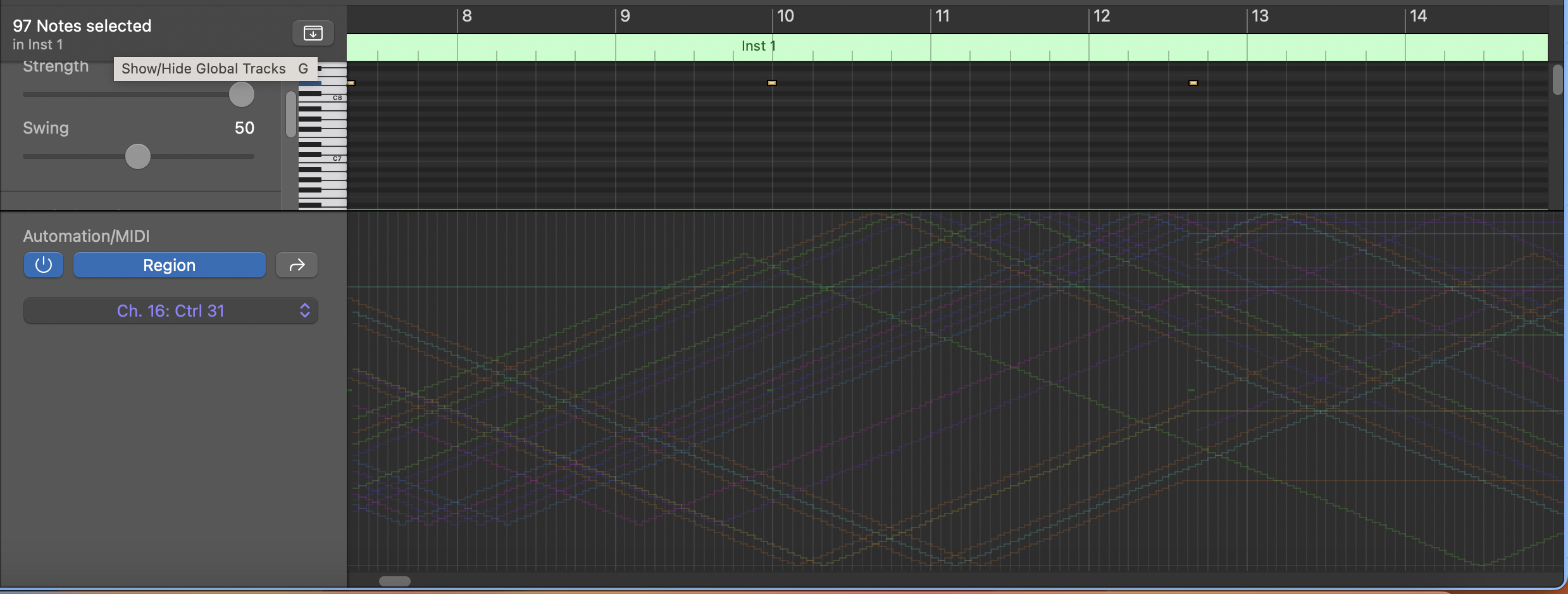
I spent a lot of time troubleshooting the algorithm, including recording the MIDI data in Logic Pro (see below). The MIDI data is coming out of Pure Data exactly as expected. When I cut the algorithm back to sending just one set of values (for instance, the note trigger or one of the controller values), the Hypno responds as predicted, however, sometimes just adding in a second controller, the Hypno begins to change oscillator shapes without being prompted to. It may also be changing other values, that I am simply not able to track. My working theory here is that the Hypno cannot handle a rapid MIDI input of several controller values.
In fact, it was this problem, which I wasn’t able to solve in March that caused me to back burner my work on this project until the summer. Unfortunately the extra time and brain space afforded me by the summer did not yield different results. So, I decided to move forward with the algorithm as it is. My intent with this project was to have both oscillators using the video input shape from stored videos on a USB thumb drive (in this case, video from the previous two experiments, that is video from the final two tracks of Point Nemo). So, in practice, while I was recording the video output from the Hypno, whenever either oscillator shape changed, I changed it back to video input as quickly as I could. Accordingly, this resulted in a bit more chaos to an already chaotic video.
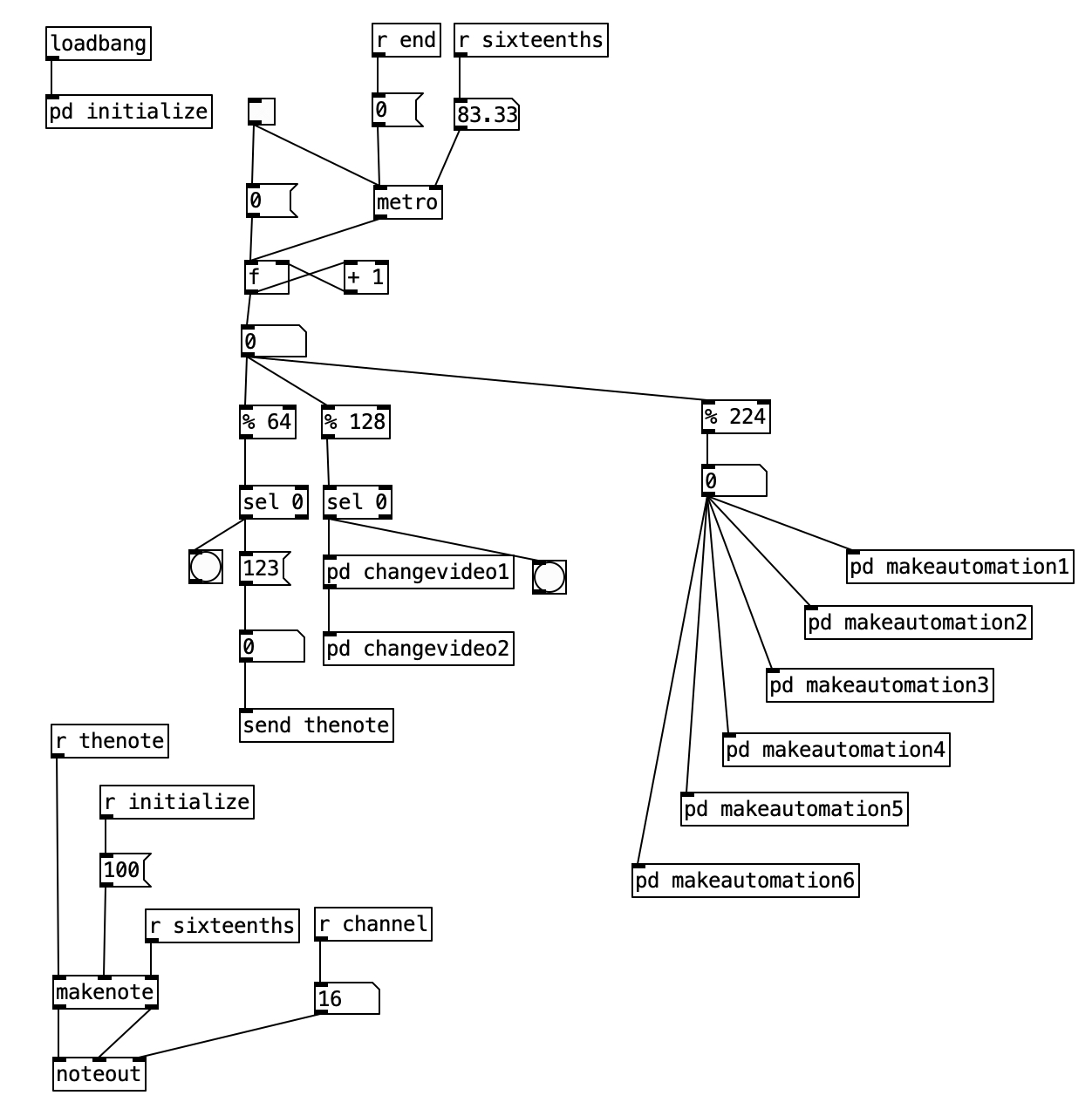
Alright, so let’s look at the algorithm in Pure Data. We see at the bottom left the part of the algorithm that sends the MIDI note out (it ends with a noteout object). In the upper left with see the initialize subroutine, which includes translating the tempo (180 bpm) into an amount of milliseconds. It also includes the initialization of an array called parameters. Finally, it also sets the MIDI channel to channel 16 (the Hypno is locked into channel 16, and it cannot be set to other MIDI channels). In the center of the screen, we see the primary algorithm. It includes a metronome, and a counter right below that. Then beneath the number object below the counter we see three different branches, one ending in a send object, the second ending in two subroutines labeled changevideo, and the final ending in six different subroutines labeled makeautomation.
We have seen various versions of all of these subroutines before. The first, which terminates in [sendthenote] simply sends MIDI note number 123 to the Hypno once every four measures (16 sixteenth notes multiplied by four measures equals 64). This is the note number that toggles the feedback mode of the Hypno. The changevideo subroutines occur under a % 128 object. This causes these subroutines to execute once every eight measures (two times 64). The subroutine changevideo2 is similar as changevideo1, so let’s look at changevideo1.
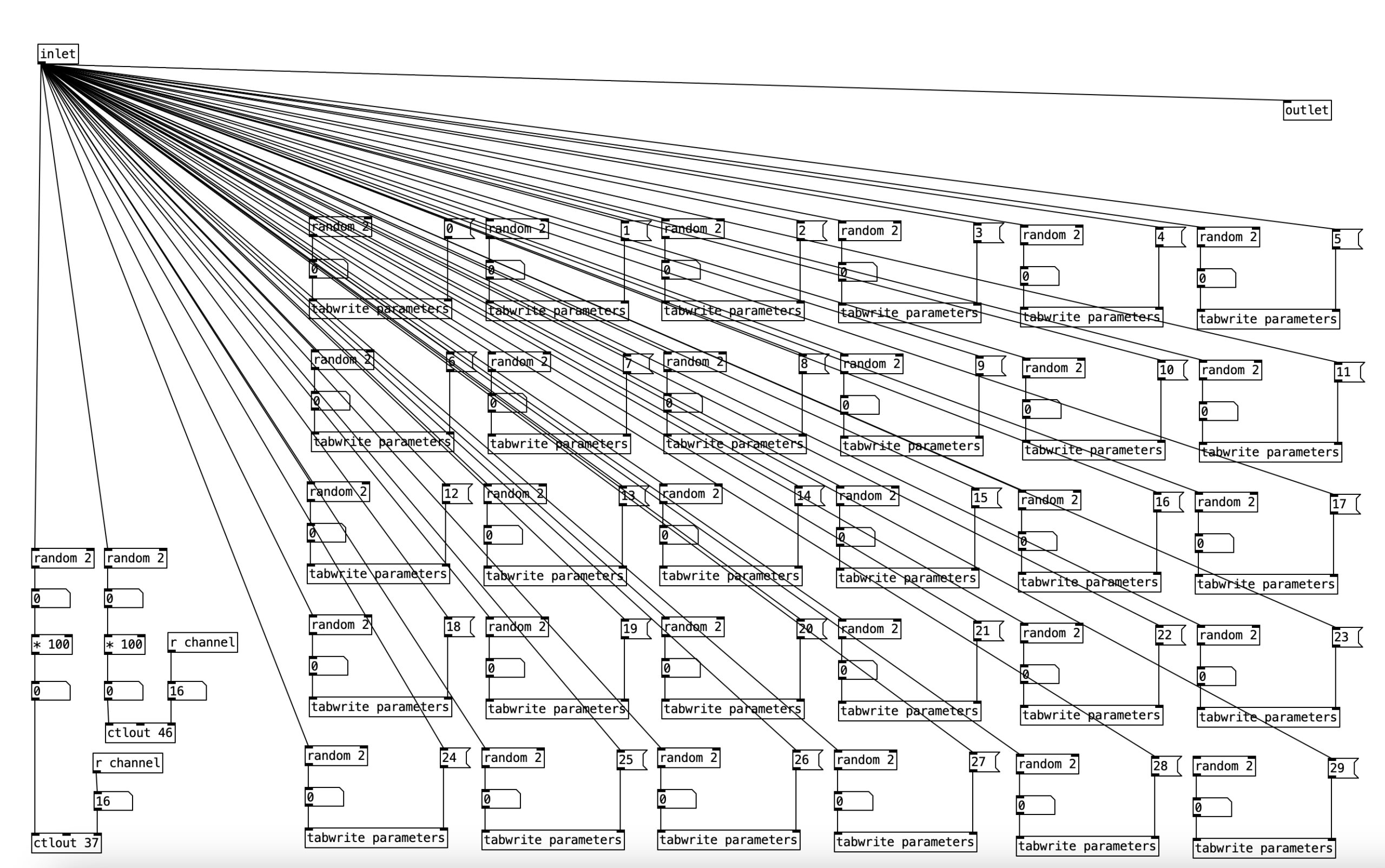
The bulk of this subroutine is 30 instances of a random 2 object followed by a tabwrite parameter object. What this means is that for each of 30 parameters, which will map onto controller values sent to the Hypno, there is a fifty percent chance for that parameter to be set to either change or not change once every eight measures. The changevideo2 subroutine simlply contains the remaining five instances of the parameters.
On the left we see two random 2 objects followed by a * 100 object. In each case, this will result either in the number 0 or the number 100 being output. These are then sent to ctlout 37 or ctlout 46. These are the controller values that set the file index number for oscillators A and B respectively. To put it in other terms, this will cause the video input to toggle between the two video files stored on the USB thumb drive.
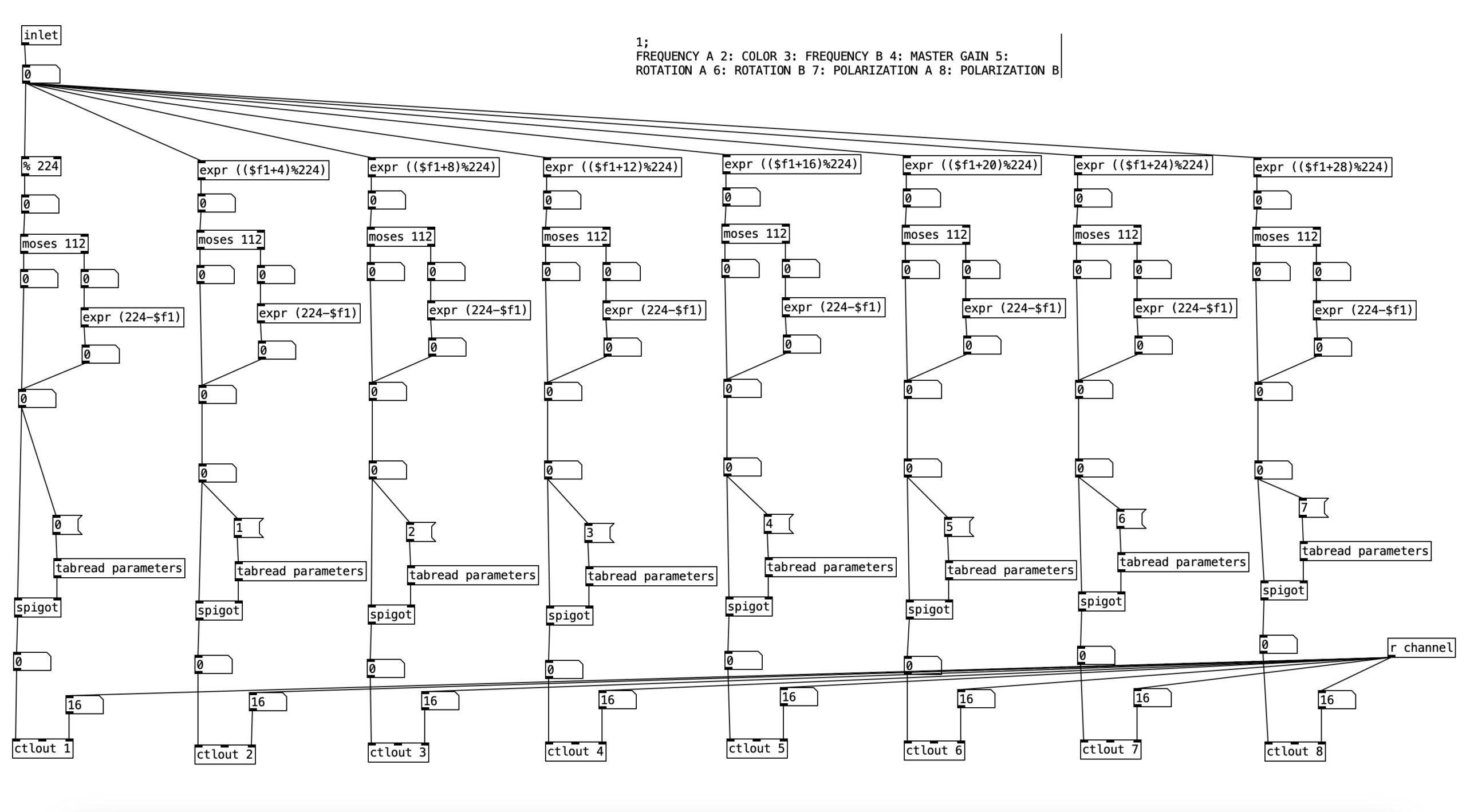
The six makeautomation subroutines are mostly similar to each other, so we’ll look at makeautomation1. This subroutine features eight instances of the same thing. It starts with some version of a mod statement (% 224) or asimilar expr object. The number 224 corresponds to 14 measures of music. If we halve that to seven measures the number of sixteenth notes is 112. So why am I dealing with seven minute units here? MIDI controller values range between zero and 127. The number 112 is the largest multiple of 16 that is still less than 127. Each successive expr object increments the incoming value by four before modding the value. This is done so that parameters are not set to the same value.
After the mod or expr object we see a moses object. When the value coming into the left inlet is below the stated value, in his case 112, that value is passed to the left outlet. If it is equal to or above that value, it passes out of the right outlet. This allows us to insert an expr object that subtracts the value from 224. Thus, this will create a motion from 112 down to 0. Thus, what this subroutine does is create incremental parameter changes that result in triangle wave forms. This can be confirmed by looking at the recorded MIDI data in Logic Pro.
After this the value then passes through a spigot object. Here the spigotis being controlled by a value from the parameters array. It that value is 0, the value going into the left inlet does not pass through. When that value is 1, the value at the left inlet will be passed to the outlet. Accordingly, we can see how the subroutine changevideo turns these spigots on and off. The values are then sent to the ctrl objects below.
The subroutine makeautomation1 handles the controllers for the color and the master gain. It also controls the values for frequency, rotation and polarization for both oscillators. The subroutine makeautomation2 handles controllers for oscillator A, including drift, color offset, saturation, fractal axis, and fractal amount. The subroutine makeautomation3 handles the same parameters as the previous subroutine, but for oscillator B. The subroutine makeautomation4 handles values related to feedback including: feedback hue shift, feedback zoom, feedback rotation, feedback X axis, and feedback Y axis. It also handles the controllers for feedback to gain for both oscillators. The subroutine makeautomation5 handles parameters for video manipulation of oscillator A, including X crop, lumakey, Y crop, lumakey max, and aspect A. The final makeautomation subroutine handles the same parameters as the previous subroutine, but for oscillator B.
As an experiment, this video was a success in the sense that it answered the question, can the Hypno handle a lot of MIDI input of controller values. That answer is clearly no. However, while the Hypno did not respond as directed by the algorithm in Pure Data, I cannot say that the results are not satisfying, though they are a considerable leap more chaotic that the results of the previous two experiments. I will be doing one more experiment with driving the Hypno using MIDI data, and will likely continue to use MIDI data when performing with the Hypno. However, when making music videos I will likely use Eurorack control voltages to drive the Hypno, as the results are far more predictable and controllable.
Part of this experiment was to see the outer limits of using MIDI with the Hypno. As already noted, this yielded fairly chaotic results where the source material is almost completely unrecognizable. In practice it seems that I will get more aesthetically pleasing results if I rein in the controller changes, yielding a more subtle response.
Wow. It’s been a long time. An embarrassingly long time. Some of my excuses are typical academic excuses: busy spring 2025 semester, conference presentation due date, and busy summer 2025 semester. However, a couple of them have been personal: my mother had a stroke and my elder cat has had a lot of health problems, and is likely in his last months.
Another thing holding up the process was the final funds. I received the final funds in June, and was able to purchase the remaining items. However, I altered the list a bit, as it seems the primary student use of the video synthesis setup will be students in VPM 248: Sound Synthesis. Accordingly, I purchased some Eurorack gear that will work in combination with the Sleepy Circuits Hypno, as well as some accessories.
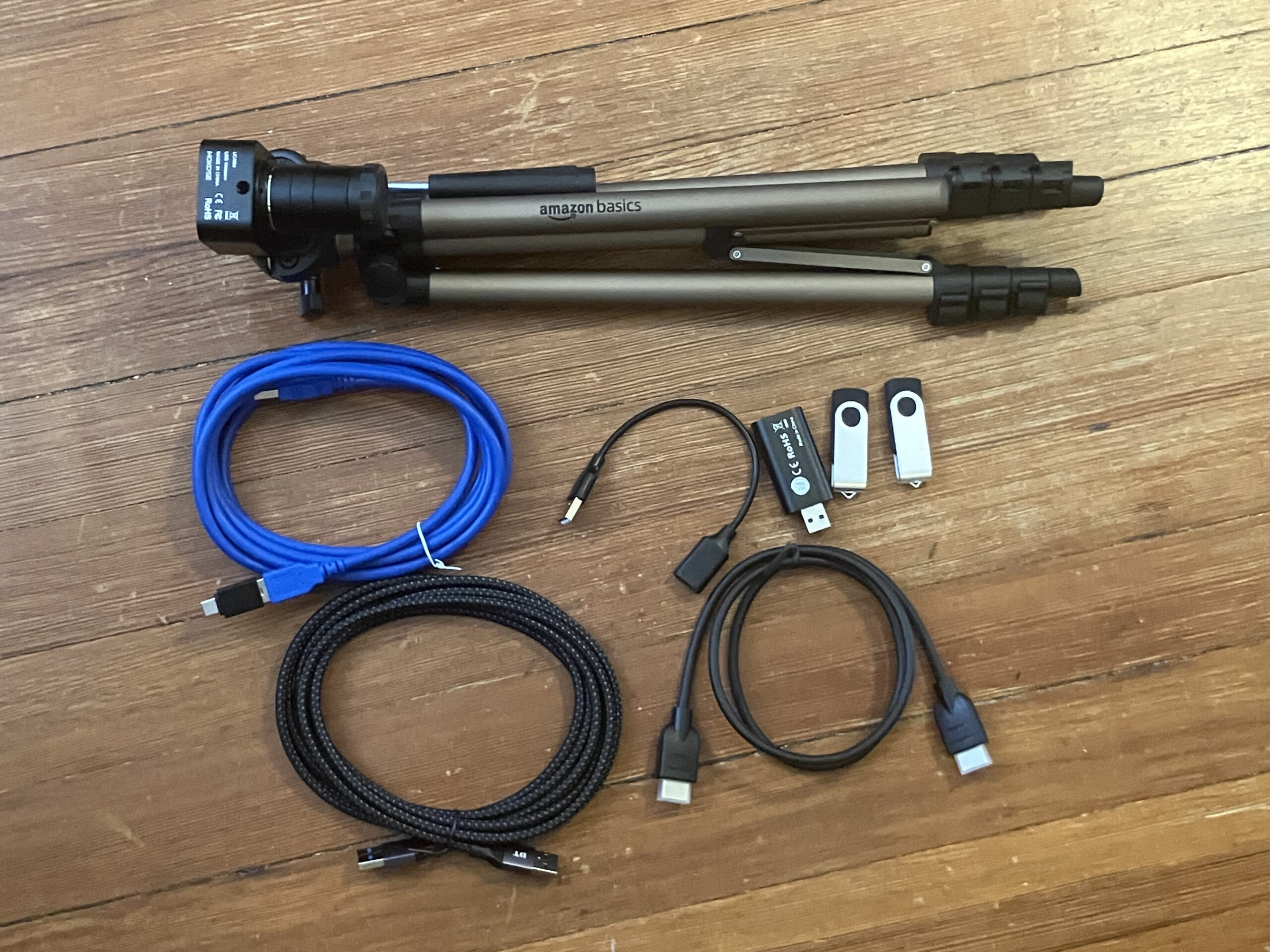
In terms of the accessories, I bought a decent USB webcam with manual zoom and manual focus, a tripod, a USB HDMI capture card, a few of USB cables and two USB thumb drives. The camera is a MOKOSE HD webcam with a 5-50mm zoom lens. The lens is a CS-mount lens that can be removed and replaced with other CS-mount lenses.
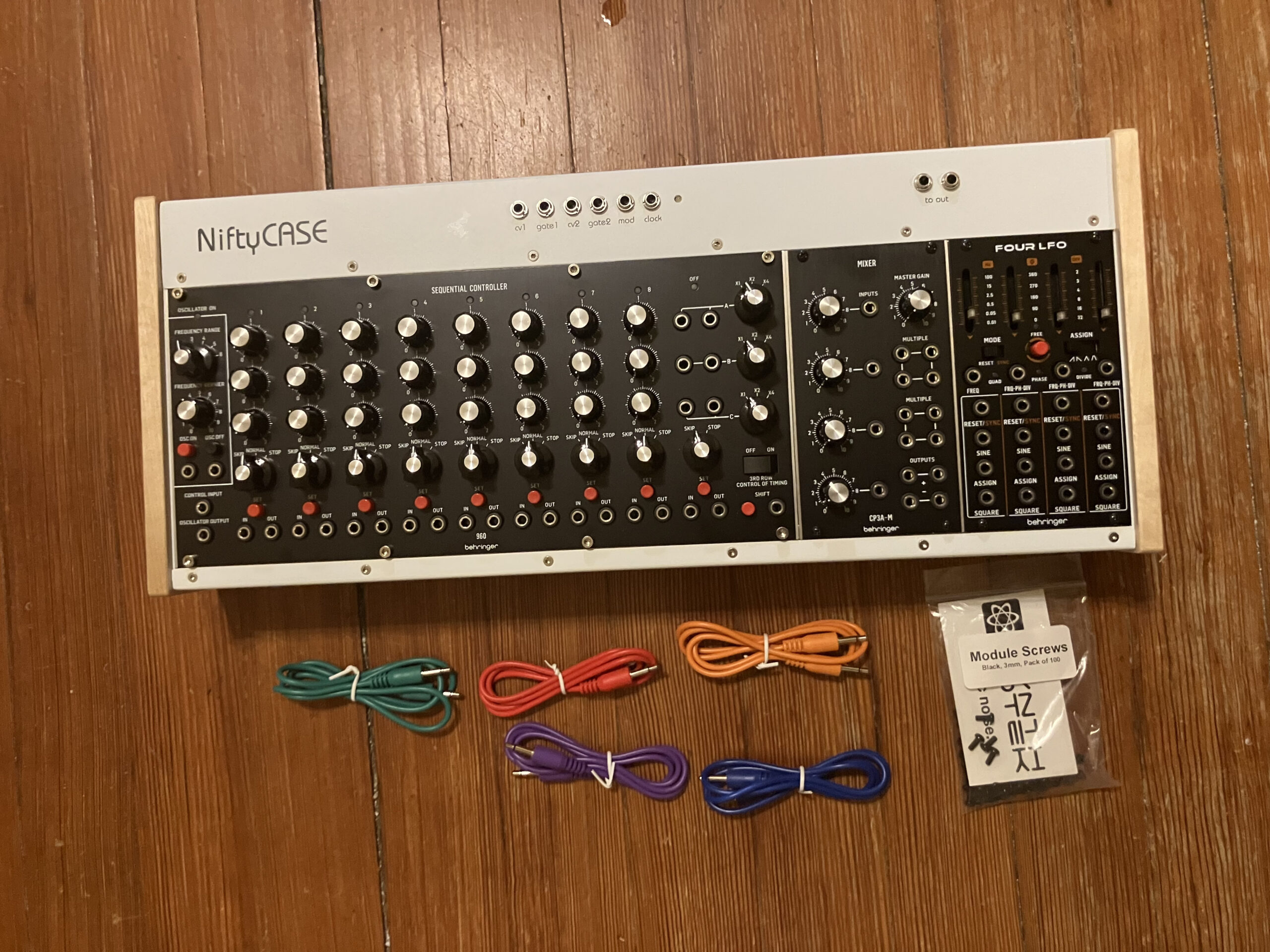
The NiftyCASE provides power to the three modules, but also allows for MIDI input via 5-pin DIN, as well as USB. Any MIDI input is then converted to control voltages by the NiftyCASE. The Four LFO contains four low frequency oscillators each of which can output sine, square, sawtooth, ramp, triangle, or trapezoidal waves at frequencies that are suitable to for controlling other modules.
The other two modules (the 960 and the CP3A-M) are recreations of modules from the Moog 900 series of the late 1960s and early 1970s. The 960 Sequential Controller features three rows of eight knobs, each of these knobs is used to set a different frequency. These set frequencies are then played back, looping from the left to right. To the right of these knobs are control voltage outputs for each row. These voltages can then be used to control other modules (for instance the Hypno). In addition to having a speed control, the 960 allows each of the 8 steps to be in play, skip, or stop mode. In play mode, the step is played, and then moves onto the next step. In skip mode, that step is skipped. In stop mode, when that step is hit, it repeats until it is switch to either play or skip mode.
The CP3A-M is a mixer, but it has a few nice features. If you use only one input, you can use it as an attenuator, that is as a module that can decrease the amplitude of a signal. Likewise, since it has both positive and negative outputs, it can be used as a signal inverter. Finally, in addition to being a four channel mixer, it contains two sets of multiples. Multiples can be used to split a given signal into two or three duplicate copies of the same signal.
Starting in spring 2026, students enrolled in VPM 248: Sound Synthesis will be required to create a music video for their first project using the Hypno in conjunction with the above Eurorack setup. Examples will be presented in the music technology showcase. One additional benefit of this Eurorack setup is that it will also work in conjunction with several of the synthesizers resident in The Song Factory, the music program’s recording studio.
In addition to incorporating this gear into VPM 248 I still have more work outstanding for the Digital Innovation grant. I have to finish music videos for the first two tracks on my album Point Nemo. I also have to organize a concert of live music that will feature my student assistant performing video live using the Hypno in conjunction with the Eurorack setup. I hope to get the two videos done before the beginning of Fall 2025, and I imagine I may be able to schedule the concert for mid November 2025.





#/media/File:CordierColor.jpg)